
Inside Runcible Oversing
See a matter, its context, and the work connected to it.
Three views of the same compensation review in the running application.
Start with the question participants need to resolve. Open the related records and planned work. Then inspect the states through which that work can move.
These screenshots were captured on November 2, 2026, using a fictional demonstration company and participant. They show the current application interface with illustrative data. Open any image at full size to inspect the details.
Read the compensation example and its proposed continuation →
01 / Keep the question in context
Start with the concern and the objective.
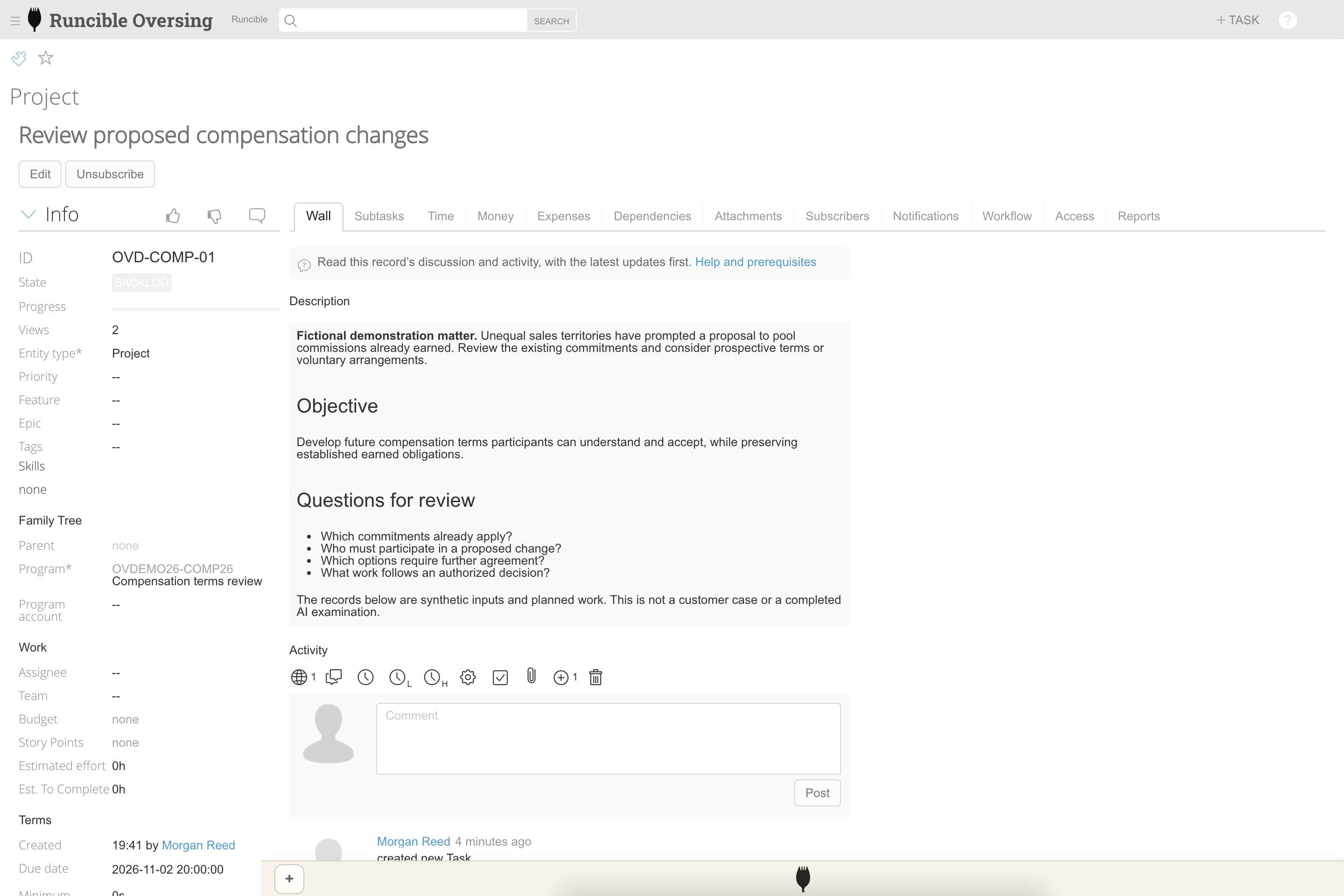
The project record holds the compensation question, the intended objective, and questions for review. Its information panel shows the program relationship and current Backlog state.
02 / Connect the work
Find the records and tasks that belong to the matter.
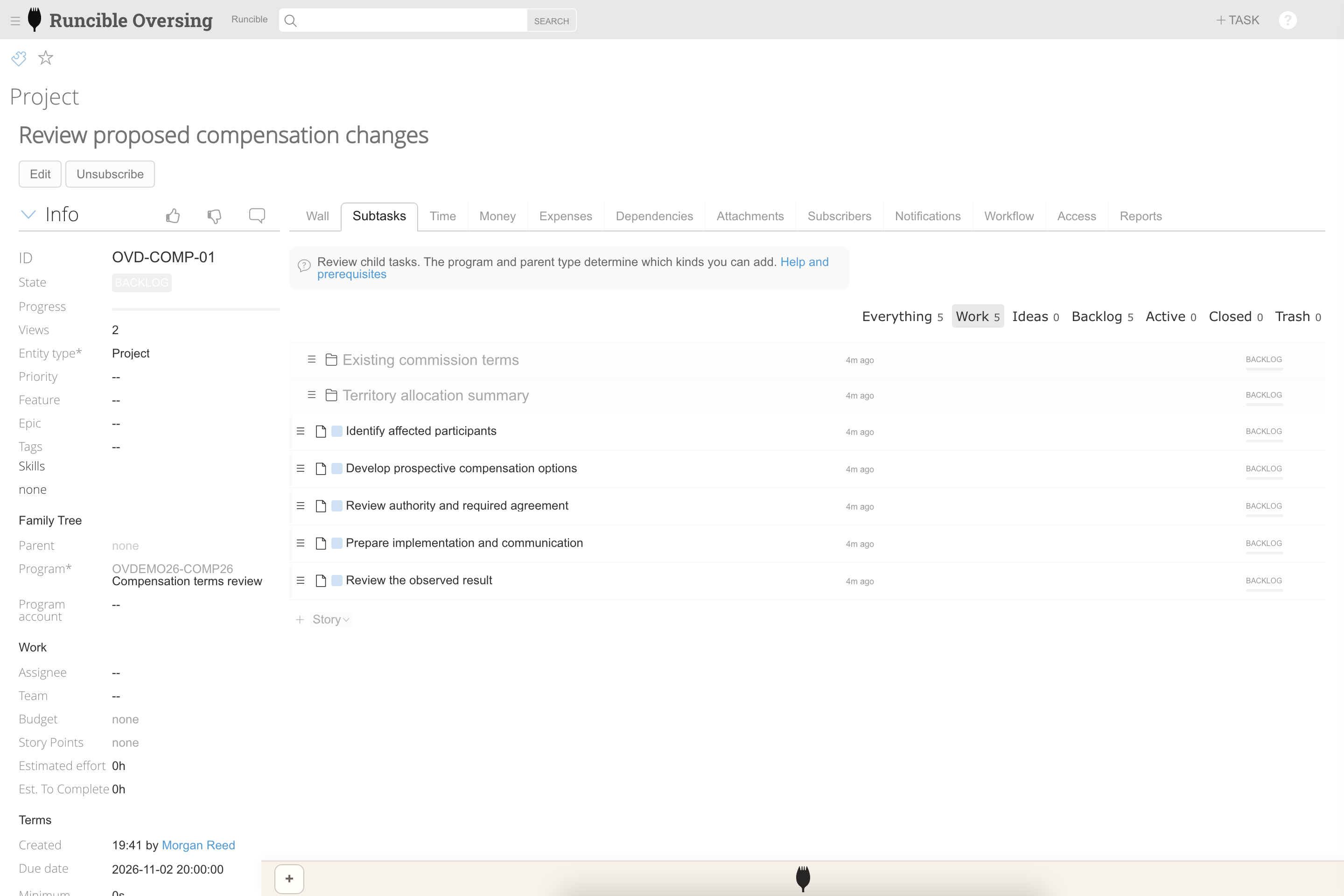
The Subtasks view brings together two supporting document records and five planned work items: identify participants, develop options, review authority, prepare implementation, and review the result.
03 / Inspect the configuration
See the available states and transitions.
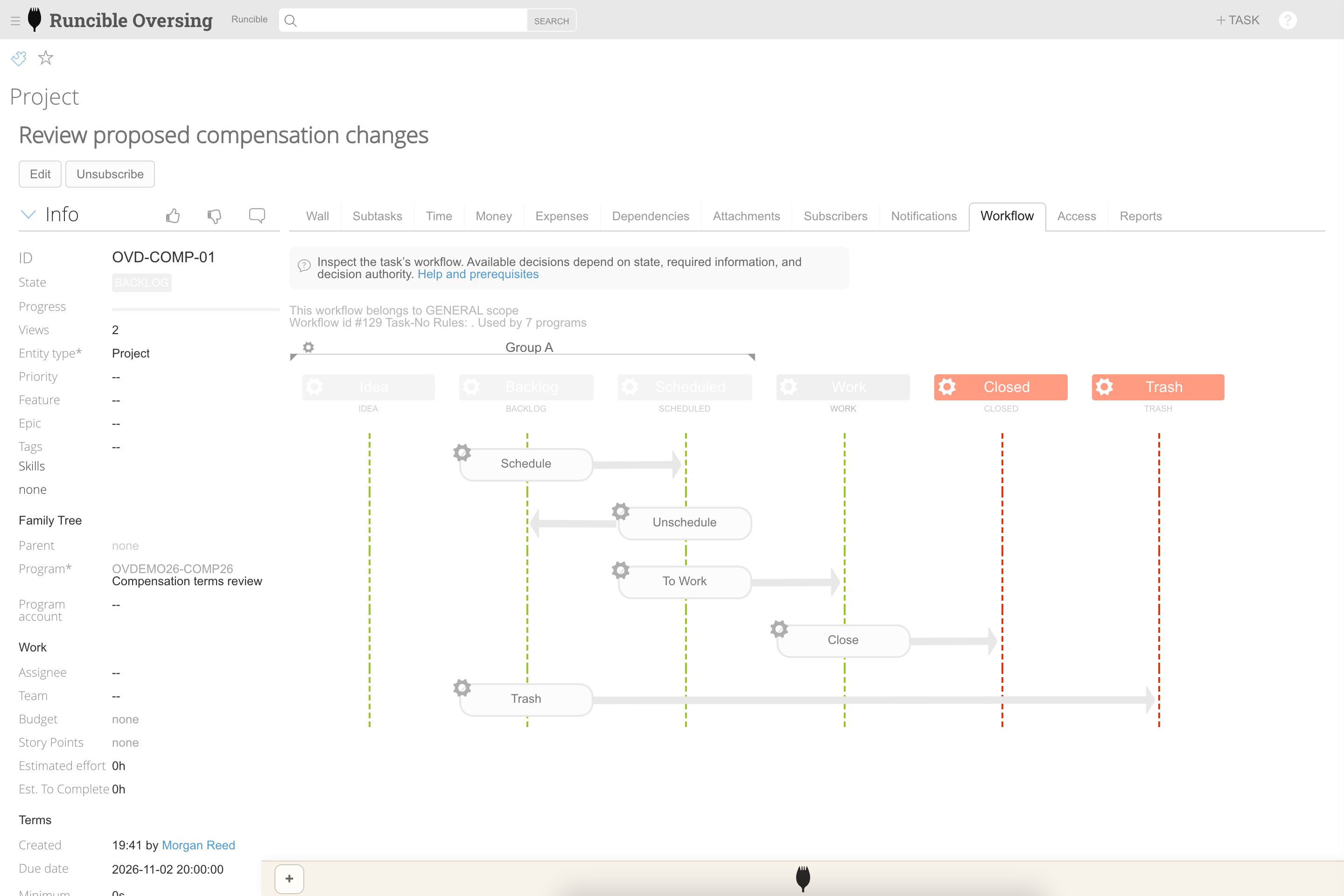
The Workflow view shows how this example is configured: Idea, Backlog, Scheduled, Work, Closed, and Trash, with transitions between states. The current record remains in Backlog.
Your evaluation
Trace the sequence that matters to your institution.
These views establish the interface and linked records shown. A guided evaluation should test the intended roles, permissions, approvals, retained history, and AI functions using a representative sequence.
The fictional example is not a completed customer implementation. A recorded end-to-end Oversing demonstration and measured customer outcomes remain to be established.